Automate accounting document collection into Google Drive
One secure link or email address per client. Invoices, receipts and bank statements land in the right folder, and AI turns them into rows in Sheets.


One secure link or email address per client. Invoices, receipts and bank statements land in the right folder, and AI turns them into rows in Sheets.
Trusted by 300,000+ users from all industries.






Problem
Attachments spread across threads, each one downloaded and filed by hand.
Blurry photos in chats that never reach the client's folder.
Clients without Google accounts, wrong permissions, files moved or deleted.
How it works
Steps
Set up as many clients as you need, each with its own rules or brand.
Upload documents yourself, share the link with your client, or use a unique email address.
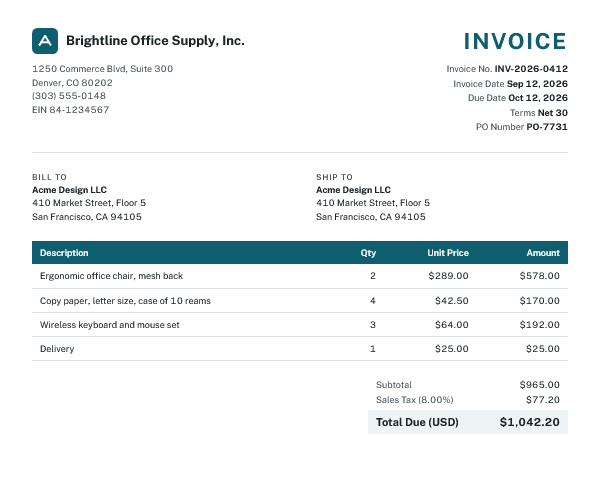
AI extracts the data from every document to Google Sheets.
Set up your first client in two minutes.
Their documents can start arriving today.
How clients send files
Send each client their own upload link once. No account, no app, no password to remember.
Give each client a dedicated address and every attachment they forward is saved straight to their folder in your Drive.
Embed the uploader with your logo and colors. Clients add their name and period, and files are filed automatically.
Organized in Google Drive
Invoices and receipts are sorted into your folder structure – ready for month-end close.
Know the moment a client sends their documents, so nothing waits until the deadline.
Route client files into your firm's Shared Drive so every accountant on the team has access.
Automatic document processing
DriveUploader AI reads every document your clients send and fills in the columns you define.
Try for freeOur happy customer
“DriveUploader saved me at least half the time. Today, I can't imagine doing my work without it.”
 Kateřina Přidalová
Integrations

Every document becomes a row in your sheet. Build your own reports, checks and exports.
Learn moreExport invoices with pre-posting and VAT classification as a ready-to-import XML file.
Learn moreTell us which accounting software you use and we'll prioritize it.
Suggest an appSecurity
Uploads go straight to your Google Drive. No copies stored on our servers.
An uploader only accepts files. Clients can't browse or open your folders.
Set an expiration date or protect an uploader with a password.
Files are encrypted in transit and stored with Google's security, the same as the rest of your Drive.
Pricing
Buy credits once and use them anytime. 1 credit = 1 document processed by AI.
$0.09
per document
$9 + VAT
Try for free$0.058
per document
$29 + VAT
Try for free$0.039
per document
$79 + VAT
Try for free$0.034
per document
$169 + VAT
Try for freeUploading is free. Free uploaders stay open for 24 hours, then you can create a new one anytime. Want one permanent link per client? Add a plan from $5.99/month (billed yearly).
See full pricingDriveUploader is a document collection tool for accountants and bookkeepers. Clients upload invoices, receipts and bank statements through a link or email address without creating an account. Files are saved to your Google Drive, and AI extracts the data into Google Sheets.
No. Clients open your upload link in any browser or on their phone and upload files without signing in. They never get access to your Google Drive.
Yes. Uploads go straight to your Google Drive and no copies are stored on our servers. Files are encrypted in transit, and you can set an expiration date or a password for each uploader.
Yes. Give each client a dedicated email address. Every attachment they forward is saved straight to their folder in your Drive, which works well for vendors that send invoices automatically.
Yes. Every document becomes a row in Google Sheets, which you can import into most accounting software. Stormware POHODA users can export a ready-to-import XML file. Missing your software? Tell us and we'll prioritize it.
No. Uploading is free. Credits are used only when AI processes a document: 1 credit = 1 document. Every free account gets 3 AI credits each month.
Your uploaders keep accepting files and saving them to Google Drive. AI processing pauses until you buy more credits.
No. DriveUploader doesn't limit file size on any plan. If you want to, you can set your own maximum file size for each uploader.
Create your first client uploader in 2 minutes. Your clients won't need to learn anything new.

 Google Drive
 Google Sheets